
Chrooma Colors app icon

Chrooma Colors

Pull a palette from any photo. Mix paint the way pigments actually work. Then find out if you can even see the difference.

Download on the App Store

★★★★★ 4.8 stars · Free · One-time $6.99 Pro upgrade

What it does

Four things, done properly

Color palette from any photo

Snap a picture, get its colors. Drag the extraction points to refine, or use the precision pipette with a magnifier loupe for exact spots.

K-means clustering pulls dominant colors. Save the palette, tweak individual swatches, export as an image card. Extraction is free and unlimited. Pro unlocks the full analysis (harmony detection, temperature mapping, balance).
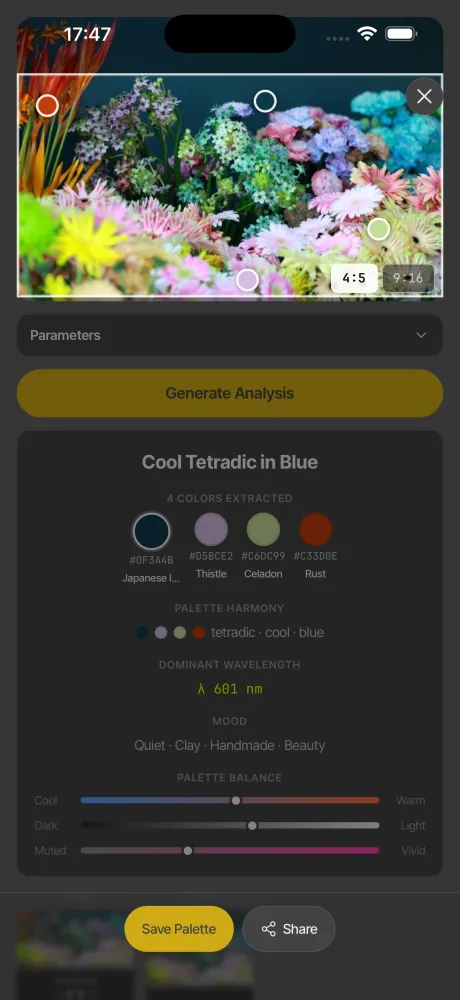
Photo palette extraction in Chrooma Colors

Paint mixing that's actually correct

Every other app mixes colors by averaging RGB. That's light math, not paint. Blue + yellow makes olive here, not bright green, because that's what real pigments do.

Kubelka-Munk two-flux theory with measured spectral data from 24 pigments. Cadmium Yellow, Ultramarine Blue, Burnt Sienna. You get a paint recipe with proportions, not a hex code.
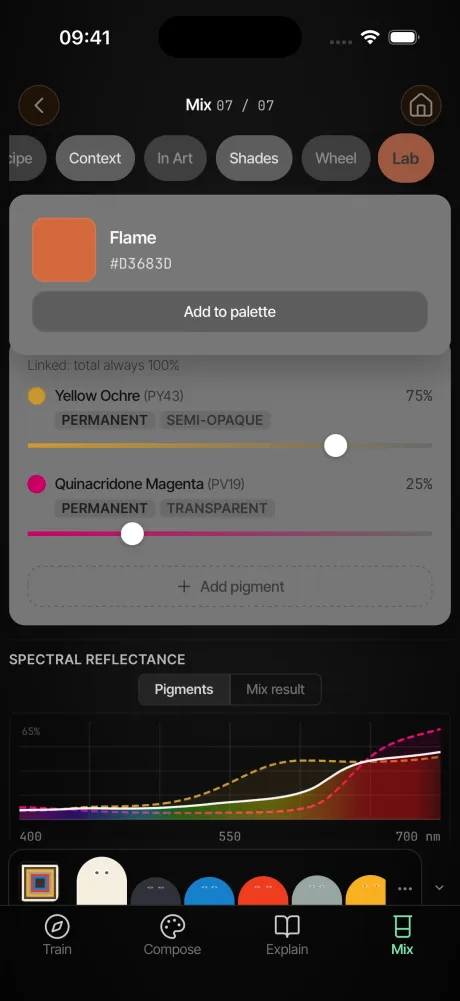
Spectral paint mixing recipe in Chrooma Colors

23 perception challenges

Can you sort ten hues by temperature? Match a saturation from memory? Identify the complement of Burnt Sienna? Six categories test how well you actually see color.

They adapt in difficulty and give you a percentile score. Not trivia. Not quizzes about color theory. Actual perceptual tests you can fail.
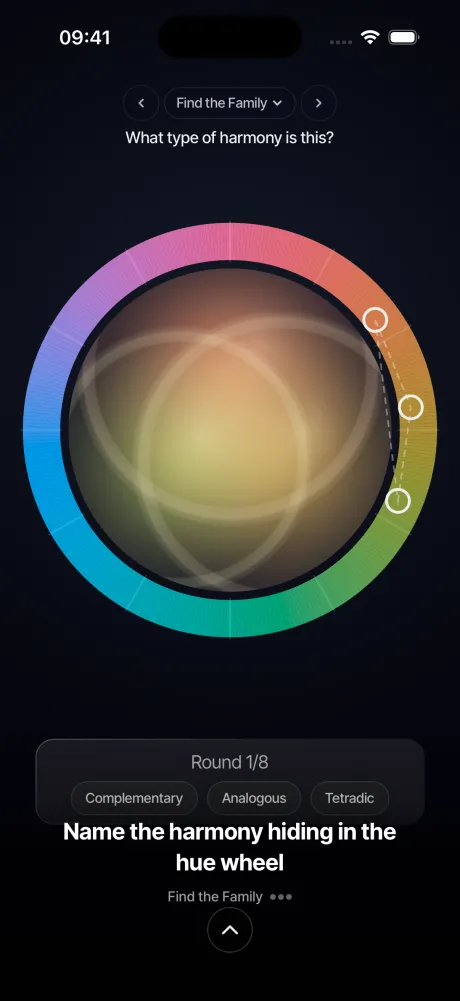
Color perception challenge in Chrooma Colors

No subscription. No ads. No account.

The free tier gets you photo extraction, 56 composition styles, the Color of the Day, weekly palettes, and 7 challenges. That's more than most paid apps offer.

If you want everything, it's a one-time $6.99 Pro upgrade. No recurring charge, no login wall, works offline. You own it.
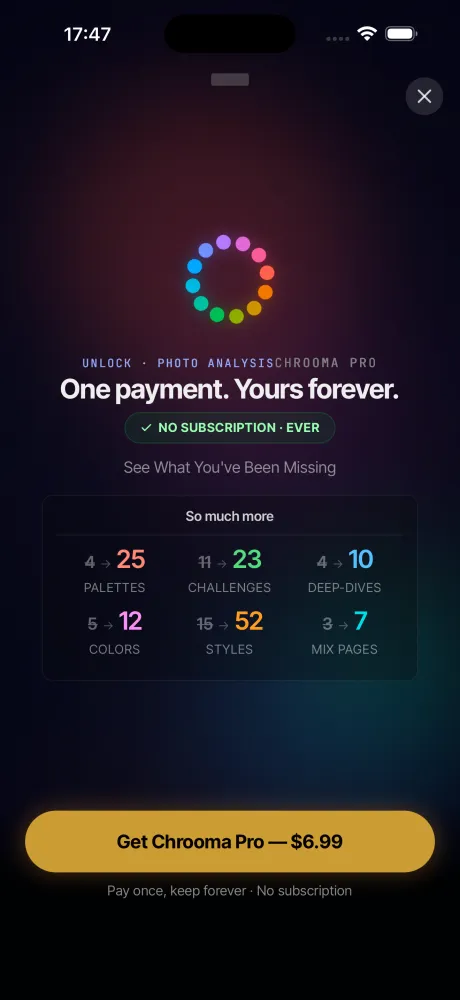
Chrooma Pro one-time upgrade screen
Under the hood

What's inside

Not a feature dump. Just the parts that took the most work.

460+ named colors Etymology, chemistry, and history. Named after the Latin caeruleum? You'll know why.
Munsell Renotation Data From the Rochester Institute of Technology. 2,734 entries, not an approximation.
CIEDE2000 color difference Perceptually accurate comparison. Not Euclidean distance in RGB.
CVD simulation Protanopia, deuteranopia, tritanopia. See your palettes as others see them.
56 generative compositions Geometric, organic, atmospheric, mathematical. Export as PNG or MP4.
Color Imprint Personality system. 16 archetypes, 5 dimensions, evolves monthly based on what you explore.

Questions

It depends what you need. Coolors is great for quick generation, Pantone Studio for industry-standard matching. If you want to extract palettes from photos, mix colors with real paint physics, and actually learn color theory along the way, Chrooma Colors covers all three. It's free to download with a one-time Pro upgrade, no subscription.
Most palette apps use K-means clustering to group the pixels in your image into dominant colors. In Chrooma Colors, you can snap or import a photo, drag extraction points around the image, and use a precision pipette with a magnifier loupe to pick exact spots. The app pulls out a full palette you can save, edit, and export.
Most apps mix colors by averaging RGB values, which is mathematically simple but physically wrong. Real paint mixing is subtractive and nonlinear. Spectral mixing uses Kubelka-Munk two-flux theory to simulate how pigment particles actually absorb and scatter light. That's why blue + yellow makes olive in real paint, not the bright green you get from RGB. Chrooma Colors uses spectral mixing with 24 measured pigment spectra.
Yes. Chrooma Colors is free to download with a one-time $6.99 Pro upgrade that unlocks everything forever. No subscription, no ads, no account required. The free tier includes photo extraction, composition styles, the Color of the Day, and 7 perception challenges.
Kubelka-Munk is a mathematical model from 1931 that describes how light interacts with pigment layers. It accounts for both absorption and scattering coefficients of each pigment, producing accurate color predictions for paint mixtures. Chrooma Colors implements this with measured spectral data for 24 real-world pigments like Cadmium Yellow, Ultramarine Blue, and Burnt Sienna.
Chrooma Colors includes 23 interactive perception challenges across 6 categories: hue matching, value discrimination, saturation ranking, complementary identification, temperature sorting, and harmony recognition. They adapt in difficulty and give you a percentile score. The app also simulates color vision deficiencies so you can check how your designs look to others.

See what you've been missing

Free on the App Store. No account, no subscription, works offline.

Download on the App Store